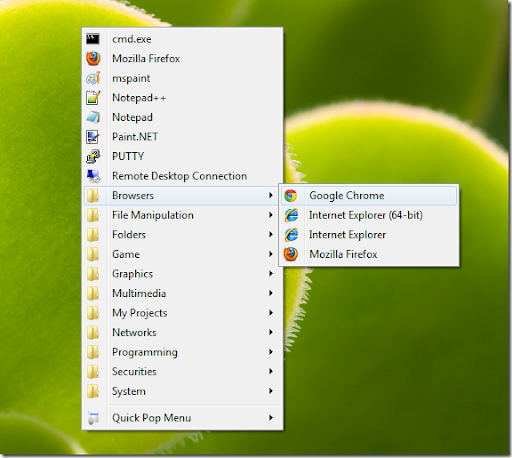
Quick Pop Menu is a lightweight application that allows you to instantly launch a desired application with a single mouse click. Pressing "control key + middle mouse button" triggers the launcher menu which lists predefined shortcuts. There is an option to create the program shortcut in the Windows Startup folder. The key combinations can be changed via the tray menu –> Settings –> “Set Hotkey”. For 32bit environment users, use the file in the x86 folder. For 64bit environment, use the file in the x64 folder.
Do you get messy desktop with too many shortcut icons? With Quick Pop Menu, you can keep the desktop clean by putting them into one organized menu. This is a menu type application launcher. Press your favorite key combination and the menu pops up that lets you run programs quickly from anywhere on the desktop.
Author : Michael Uno
OS : WinXP, Vista, Win7
License : Freeware
Website : http://en.michaeluno.jp/quick-pop-menu/
Please click here to download!

No comments:
Post a Comment